

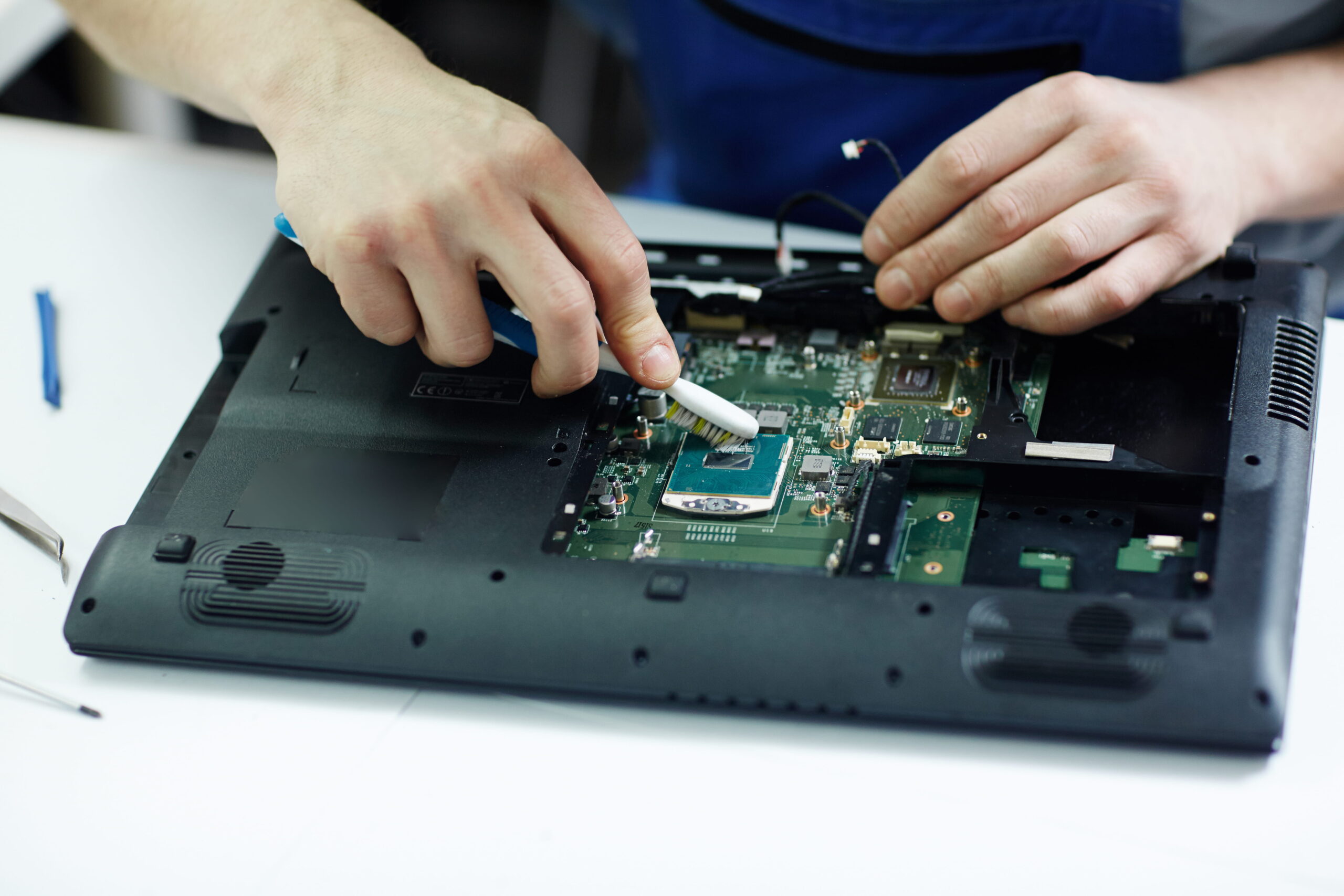
Does your laptop feel unusually hot after just a few minutes of use? Is the fan running loudly all the time? Or worse, does your system shut down automatically while working or gaming? Laptop overheating is one of the most common hardware problems, and ignoring it can lead to serious motherboard or processor damage.
If you’ve searched for terms like laptop overheating repair in Delhi, processor overheating fix, or MSI gaming laptop overheating solution, this detailed guide will help you understand the causes, practical solutions, and when professional repair is necessary.
Why Laptop Overheating Is a Serious Problem
A laptop naturally produces heat while operating. However, when internal temperature exceeds safe limits, it can cause:
- Sudden shutdowns
- Performance throttling (slow speed)
- Screen freezing
- Keyboard or touchpad malfunction
- Permanent motherboard or CPU damage
Modern laptops are designed with thermal protection systems, but constant overheating reduces hardware lifespan significantly.
Common Causes of Laptop Overheating
Dust Accumulation Inside the Laptop
Over time, dust builds up inside the cooling fan and air vents. This blocks airflow and prevents heat from escaping. In many repair cases, especially in Delhi’s dusty environment, internal cleaning alone solves the overheating issue.
Dried or Poor Thermal Paste
Thermal paste helps transfer heat from the processor (CPU) and graphics chip (GPU) to the heat sink. After 1–3 years, this paste dries out and becomes ineffective. Without proper heat transfer, temperatures rise quickly.
Replacing thermal paste is a common solution in professional laptop repair.
Faulty Cooling Fan
If the fan is not spinning properly or making unusual noise, it may not be cooling the system efficiently. A damaged fan must be repaired or replaced to restore proper airflow.
Heavy Gaming or High-Performance Use
Gaming laptops, especially MSI and high-end HP models, generate more heat due to powerful processors and GPUs. Without proper cooling maintenance, these systems overheat easily.
Blocked Air Vents
Using your laptop on a bed, pillow, or soft surface blocks air vents. This traps heat inside and increases internal temperature.
Signs Your Laptop Is Overheating
You may notice:
- Bottom panel becoming extremely hot
- Loud fan noise continuously
- Lag during multitasking
- Automatic shutdown
- Warning messages about high temperature
If your laptop shuts down suddenly and restarts only after cooling down, overheating is likely the cause.
Can Overheating Damage the Motherboard or Processor?
Yes, prolonged overheating can damage critical components.
Excess heat affects:
- Processor (CPU)
- Graphics chip (GPU)
- Power IC circuits
- Motherboard layers
In severe cases, overheating can lead to motherboard repair requirements, which are more expensive than early maintenance.
That’s why early diagnosis is important.
How to Fix Laptop Overheating
There are both temporary and professional solutions.
Basic Preventive Steps You Can Try
Keep the laptop on a hard, flat surface to allow proper airflow. Clean external vents gently using compressed air. Avoid using the laptop in high-temperature environments.
However, external cleaning is not enough if dust is accumulated internally.
Professional Overheating Repair Solution
At a professional repair center, technicians typically:
- Open the laptop carefully
- Clean internal dust from fan and heat sink
- Replace thermal paste
- Check fan condition
- Test processor temperature
- Inspect motherboard heat damage
In gaming laptops, proper thermal management is especially important.
If you are searching for laptop overheating repair in Delhi or MSI service center Delhi, choose a technician experienced in internal cooling systems.
How Much Does Laptop Overheating Repair Cost in Delhi?
Repair cost depends on the problem:
- Internal cleaning & thermal paste replacement is usually affordable.
- Fan replacement costs vary by model.
- If overheating has damaged motherboard or processor, repair cost increases.
Early maintenance is always cheaper than repairing major hardware damage.
When Should You Visit a Repair Center?
You should seek professional help if:
- Laptop shuts down repeatedly
- Fan makes grinding or loud noise
- Device becomes too hot to touch
- Performance drops drastically
Delaying repair may lead to permanent hardware failure.
How to Prevent Future Overheating
Regular maintenance is key. Professional cleaning every 12–18 months helps maintain optimal performance. Using a cooling pad can also improve airflow, especially for gaming laptops.
Avoid blocking air vents and always use original chargers to prevent additional heat stress.
Final Thoughts
Laptop overheating is not just a comfort issue — it’s a hardware risk. Ignoring high temperatures can lead to motherboard damage, processor failure, and expensive repairs.
If your laptop is overheating, don’t wait for it to stop working completely. Early diagnosis can protect your device and extend its lifespan.
Need Professional Laptop Overheating Repair?
If your laptop is shutting down or running too hot, visit Lappy Care in Uttam Nagar, West Delhi for expert diagnosis and repair.
Call now: +91 99111 11251
Protect your laptop from heat damage before it becomes a costly problem.